
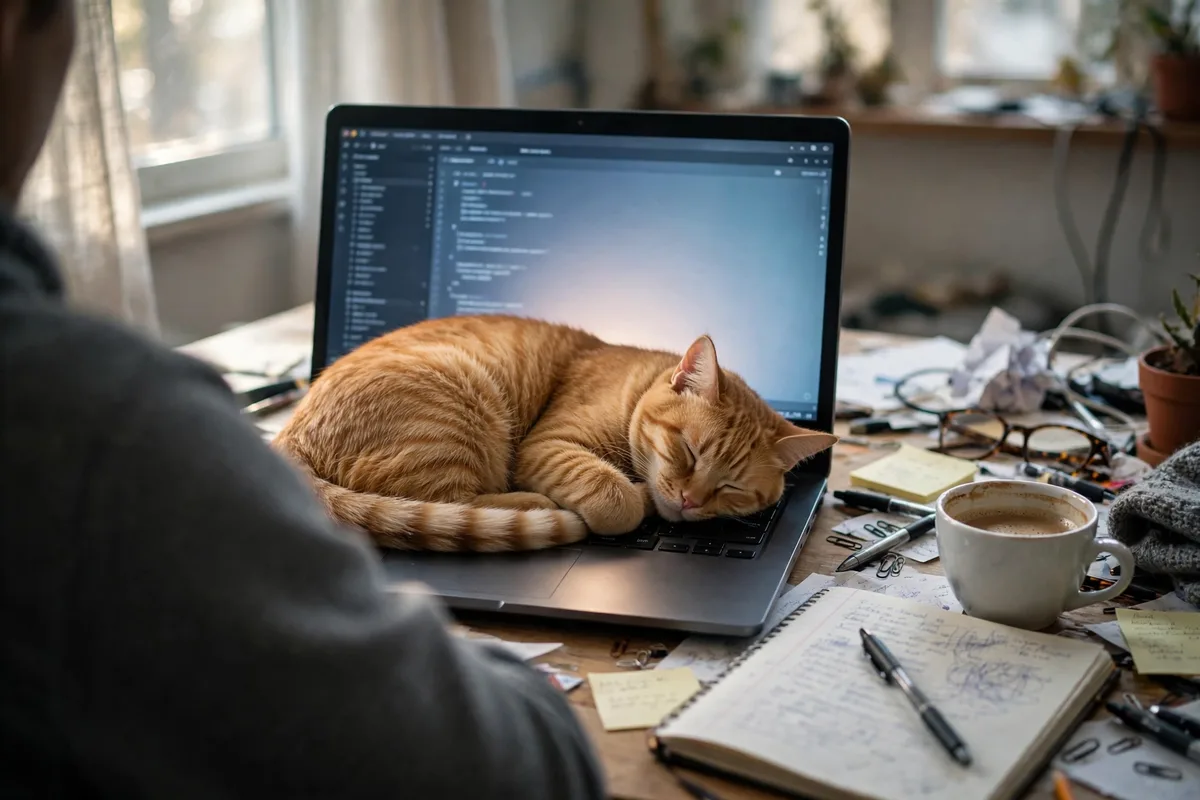
Why Does My Cat Sit on My Laptop?
You open your laptop to work, and within minutes there is a cat on it. Not beside it, not near it, but on it, sitting squarely on the keyboard, tail across the screen, looking at you with total satisfaction while your cursor jumps and your meeting starts without you.
It feels personal, but it is not. Your laptop is the warmest, flattest, most familiar smelling object in the house, and it is exactly where your attention goes the moment you open it. To a cat, that combination is irresistible. The warmth is the main reason, the attention is the second, and the smell of you is the third. None of them is defiance.
The information here is general information only and is not veterinary advice. If your cat suddenly starts seeking heat much more than usual, or the heat seeking comes with eating less, hiding, or weight loss, contact your vet.
Key Takeaways
- Warmth is the main reason. A cat thermoneutral zone is about 86 to 100 degrees Fahrenheit, far warmer than a typical room, so a running laptop feels just right.
- Attention is the second reason. Sitting on the laptop forces you to look at the cat, talk to it, or move it, which is the reaction the cat wants.
- The laptop smells like you, and cats mark it with scent glands on their cheeks and paws, claiming it as part of their territory.
- It is usually safe for the cat, but risky for the laptop. Claws, teeth, hair, and blocked vents can damage the machine, delete work, or make it overheat.
- The fix is not pushing the cat off. It is giving the cat a warmer, better spot right beside you, and rewarding it for using that spot.
- Close the laptop when you step away. A closed laptop cools down and stops being the best seat in the room.
- Play before work, not during it. A cat that has hunted and eaten before you sit down is far less likely to hunt your keyboard.
- Around 65 percent of cats form a secure attachment to their owners, in a 2019 Oregon State University study. Your cat sits on your laptop partly because it is where you are.
The Short Answer: Why Does My Cat Sit on My Laptop?
Your cat sits on your laptop because it is warm, flat, and exactly where your attention is. A laptop that has been running for a few minutes gives off steady heat from its base and keyboard, and a cat, which prefers far warmer air than you do, finds that heat deeply comfortable. The keyboard is also a flat surface the cat can curl up on tightly, which keeps more heat in, and it smells of you, because your hands spend hours on it every day.
Then there is the attention. The moment you open the laptop, your eyes go to the screen, your hands start moving, and you stop talking to the cat. To a socially bonded cat, that reads as withdrawal, and sitting on the laptop is the fastest way to get you back. You look at the cat, you speak to it, you move it, and from the cat side, it worked. Warmth brings the cat to the laptop the first time. Attention brings it back every time after that.
The Warmth Reason: Your Cat Is Cold and Your Laptop Is Not
Cats run hotter than people, and they like their surroundings hotter too. A cat normal body temperature is between 99 and 102.5 degrees Fahrenheit, against a human average of about 98.6, and a cat has a layer of fur that traps heat rather than losing it. That means a room that feels comfortable to you can feel chilly to your cat, and your cat will go looking for heat the way you would on a cold morning: sunbeams, radiators, fresh laundry, warm laps, and laptops.
The Thermoneutral Zone, in Plain Terms
The thermoneutral zone is the range of air temperatures where a body does not have to burn extra energy to stay warm or cool down. For a cat, that zone runs from about 86 to 100 degrees Fahrenheit, depending on the source, with some summaries giving 86 to 97. For a person, the comfortable zone is far lower, roughly 64 to 72 degrees Fahrenheit. That gap is the whole story. A cat in a 70 degree room is doing the same thing you would do outside on a cold morning: hunting for heat. A running laptop sits right inside the cat comfort zone, which is why it beats the sofa, the bed, and the floor every time.
Why Your Room Feels Fine to You and Chilly to Your Cat
You heat your home for yourself, not for your cat. Most homes sit between 68 and 72 degrees Fahrenheit, which is comfortable for a person in a jumper and cold for a cat in a fur coat that still needs warm air around it. Your cat does not complain. It just moves to the warmest spot it can find, and in a modern home that spot is often a laptop, a television box, a router, or a sunny windowsill. In winter the effect is stronger, which is why laptop sitting gets worse when the heating goes down and the nights get longer.
The Attention Reason: Your Laptop Steals You
Watch what changes when you open the laptop. Your eyes narrow to the screen, your hands move fast, your talking stops, and you stop noticing the cat. A cat that is bonded to you notices all of that at once. Cats form real attachments to their owners: in a 2019 Oregon State University study, roughly 65 percent of cats formed a secure attachment, similar to the attachments dogs and babies form with their caregivers. A bonded cat does not want to be ignored, and it has learned that the laptop is the thing that takes you away.
Sitting on the laptop solves the problem in one move. You have to look at the cat, you usually talk to it, and you often pick it up or stroke it while you move it. Even being shooed away is attention, and attention is what the cat wanted. Cats that sit on laptops for attention often do it at the same moment every day: when you sit down to work, when a video call starts, or when you are on a deadline. That timing is the giveaway. A cat that only wants warmth will sit on a laptop that is off and still warm. A cat that wants you will sit on the laptop you are using right now.
The Smell and Territory Reason: It Smells Like You
Cats have scent glands on their cheeks, forehead, chin, and paws. When a cat rubs its face on your laptop, or settles its paws on the keyboard, it leaves its scent there, a behaviour called bunting. That scent marks the laptop as familiar and safe, and it tells the cat that this object belongs to its territory. The laptop also smells strongly of you, because your hands, your skin, and your warmth are on it for hours every day. To a cat, that smell is comfort.
Closed Laptop Versus Open Keyboard: Two Different Problems
A cat that sleeps on a closed laptop is mostly after warmth and a flat surface. The laptop is warm, it is flat, it is at a good height, and it is in the room where you are. The fix is easy: give the cat a warmer flat surface in the same room, and close the laptop or put it away when you are not using it, so it cools down and stops being attractive.
A cat that sits on an open keyboard while you work is after warmth plus attention plus interruption. It is sitting on the thing you are using, at the moment you are using it, and it will not be satisfied with a bed across the room. The fix has to be beside you, not across the room, and it has to come with play and attention before work starts. Treat these as two different problems, because a fix for the first will not work for the second.
Is It Safe? The Risks to Your Cat and Your Laptop
For the cat, sitting on a laptop is usually safe. The heat from a normal laptop is well below the level that would burn a cat, and cats move away if a surface gets too hot. The real risk to the cat is small: a cat that chews a charging cable can get a shock, and a cat that sits on a laptop with blocked vents can make the machine run hotter than it should. Neither is common, but both are worth preventing by keeping cables covered and vents clear.
For the laptop, the risk is much higher. Claws can scratch the screen and the keyboard, teeth can damage keys, and hair gets into the keyboard and the fans. A cat walking across the keyboard can type, delete, send messages, close windows, and shut the machine down, and more than one owner has lost unsaved work to a paw. A cat sitting on the keyboard can also block the air vents, which makes the laptop run hot, slow down, and wear out faster. Save your work often, use an external keyboard if the cat is persistent, and keep drinks away from the desk, because a cat plus a coffee is a spill waiting to happen.
How to Stop Your Cat Sitting on Your Laptop: The Warmer Spot Method
Pushing the cat off never works for long, because the laptop is still warm and still where your attention is. The method that works is to give the cat something warmer, in a better spot, right beside you, and to reward the cat for choosing it. It takes about two weeks of consistency.
Step 1: Put the Better Spot Right Beside the Laptop
Place a cat bed, a folded blanket, or a cat desk bed on the desk beside the laptop, at the same height, within arm reach. Do not put it across the room, on the floor, or in another room, because the cat wants to be near you, not just warm. A bed beside the laptop is a bed the cat will actually use. A bed across the room is a bed the cat will ignore.
Step 2: Make the Better Spot Warmer Than the Keyboard
A plain bed is not warmer than a laptop, so the cat will choose the laptop. Use a heated cat bed, a self warming mat that reflects the cat own body heat, or a blanket that has been in a warm spot. A heated bed that uses only a few watts is enough, and it should have a removable, washable cover. Test the bed with your hand first: warm, not hot. The bed has to beat the keyboard on warmth, or the cat has no reason to move.
Step 3: Reward the Better Spot Every Time
Every time the cat uses the bed, give a treat, a quiet word, or a stroke. Do it at once, while the cat is still on the bed, so the cat connects the reward with the place. Put a treat on the bed before you sit down to work, so the cat finds it there first. Cats repeat what pays off, and a warm bed that also earns treats will beat a warm keyboard that earns a shooing within days.
Step 4: Close the Laptop When You Step Away
A laptop that is closed cools down, stops glowing, and stops being the best seat in the room. Make it a habit: every time you leave the desk, close the lid or put the laptop to sleep. The cat will check it once or twice, find it cool and dark, and go back to the warm bed. This one habit alone solves the closed laptop sleeping problem for most owners.
Step 5: Play Before Work, Not During It
Play with the cat for ten minutes before you sit down to work, with a wand toy that moves like prey, and end with a small treat or a meal. A cat that has hunted and eaten is a sleepy cat, and a sleepy cat will choose the warm bed over your keyboard. The same warmth and closeness that draws cats to laptops is why cats sleep on their owners: warmth plus a trusted person is the best spot in the house. Give your cat that combination beside the laptop, and the keyboard stops being the prize.
Working From Home With a Cat: A Routine That Works
Cats love routine, and a work from home routine that includes the cat works far better than one that fights it. Start the day with a play session and breakfast, then sit down to work with the warm bed already in place and a treat on it. Take a short play break at midday, and another before the afternoon slump, when cats get restless. Keep a cardboard box or a covered bed near the desk, because many cats prefer an enclosed warm spot to an open one, and cats love boxes for exactly that reason: warmth, shelter, and a view of the room. If the cat does sit on the laptop, lift it calmly to the bed without talking to it, and carry on working.
What to Do During Video Calls
Video calls are the moment cats choose most, because your attention is locked on the screen and your voice is going to strangers the cat cannot see. Prepare before the call: play for five minutes, put a treat on the warm bed, and close the door if you can. If the cat still walks across the keyboard, stay calm, lift it to the bed, and carry on. Apologising to the call makes it worse, because the cat gets more attention. Most callers find a cat on screen charming, and a cat that is handled calmly will usually settle on the bed within a minute.
What NOT to Do
Do not shout at the cat, spray it with water, or push it off the desk. Punishment teaches the cat that the desk is a frightening place, and a frightened cat will either avoid you or sit on the laptop more, not less. Do not lock the cat out of the room while you work, because a shut out cat will be stressed and bored, and will sit on the laptop the moment it gets back in. Do not use a keyboard cover as the only fix, because the cat will sit on the cover instead. And do not buy a heated bed and put it in another room, because the cat wants to be near you, and a bed without you in it is not a better spot.
FAQ
Why does my cat sit on my laptop only when I am using it?
Because that is when the laptop is warmest and when your attention is on it. A laptop you are using is hot, glowing, and the centre of your focus. A laptop sitting idle is cool and ignored, and so is the cat, which is why the cat waits until you start working.
Why does my cat sit on my closed laptop?
A closed laptop is still warm for a while after you shut it, and it is flat, at a good height, and in the room where you are. Close the laptop and put it away, or place a warmer bed beside it, and the cat will move.
Is it bad for my cat to sleep on my laptop?
Usually not. The heat from a normal laptop is well below the level that would burn a cat, and cats move if a surface gets too hot. The risk is to the laptop, not the cat: blocked vents, scratched screens, and lost work from paws on the keyboard.
Will a heated cat bed really stop my cat sitting on my laptop?
It will if the bed is warmer than the keyboard and placed right beside you. A heated bed across the room will not work, because the cat wants warmth plus your company, not warmth alone. Put the bed on the desk, reward the cat for using it, and give it two weeks.
Why does my cat walk across my keyboard?
Walking across the keyboard is the shortest route to the warmest spot, and it gets an immediate reaction from you. It is also how cats explore: the keys move, make noises, and change the screen, which is interesting. Save your work often, and give the cat a clear route to the bed that does not cross the keyboard.
Why does my cat sit on my laptop and purr?
Purring usually means the cat is content and relaxed, and a warm laptop beside its favourite person is a contented place to be. Cats also purr when they want something, so a purring cat on a keyboard may be asking for attention, play, or a stroke. Either way, it is not a complaint.
The Bottom Line
Your cat sits on your laptop because it is warm, flat, smells like you, and it is exactly where your attention is. That is not rudeness, it is a cat making a sensible choice. Do not fight the choice with pushing and shouting. Beat it with a warmer spot right beside you, a treat on that spot, play before work, and a closed lid when you step away. Most cats move to the better spot within two weeks, and the laptop, and your work, will be yours again.
For the science behind the warmth, Cats.com explains why cats sit on laptops, and the same warmth and attention reasons apply: a cat in a 70 degree room is hunting for heat, and your laptop is the warmest thing in it.